How to Choose an AI Chatbot for Your Website
A practical buyer's guide for choosing a website AI chatbot: what to test, what to ask vendors, and how to avoid paying for features your team will not use.
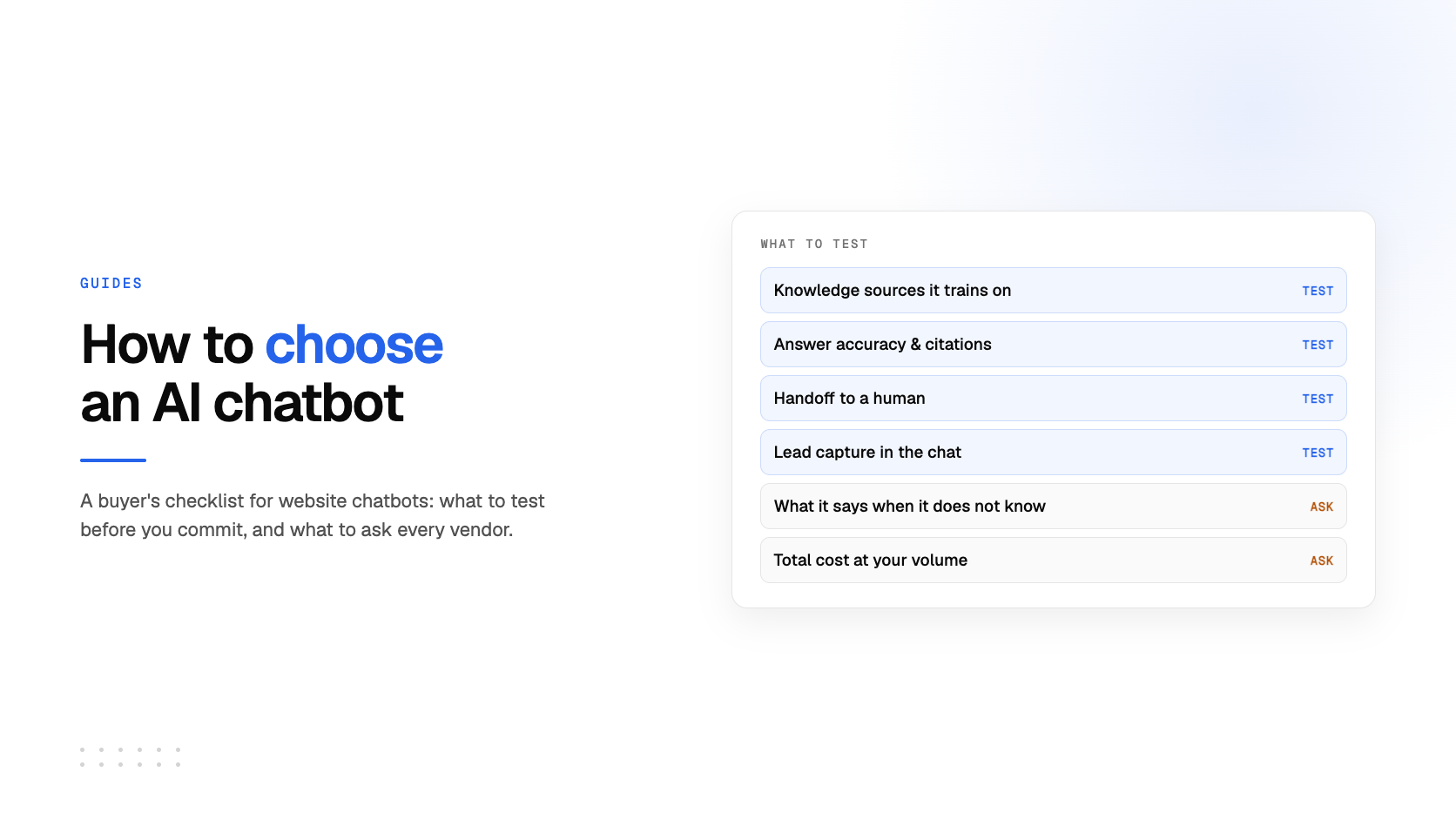
Choosing an AI chatbot for a website is less about finding the tool with the longest feature list and more about being clear about the job it must do. A chatbot that answers product questions needs different capabilities from one that qualifies leads, helps customers find documentation, or hands urgent issues to a human.
This guide gives you a practical way to compare website chatbot software before you install anything. It is written for teams that want a useful assistant on their site without turning a simple launch into a large automation project.
Start with one primary job
Write down the first outcome you want the chatbot to produce. Avoid starting with “we need AI.” A clear outcome makes every later decision easier.
- Support: answer repeated questions and direct people to the right help article or person.
- Lead generation: answer early-stage questions, collect contact details with consent, and route qualified interest to sales.
- Website guidance: help visitors locate services, pricing, policies, products, or documents.
- Internal knowledge: help employees find approved answers in a controlled set of sources.
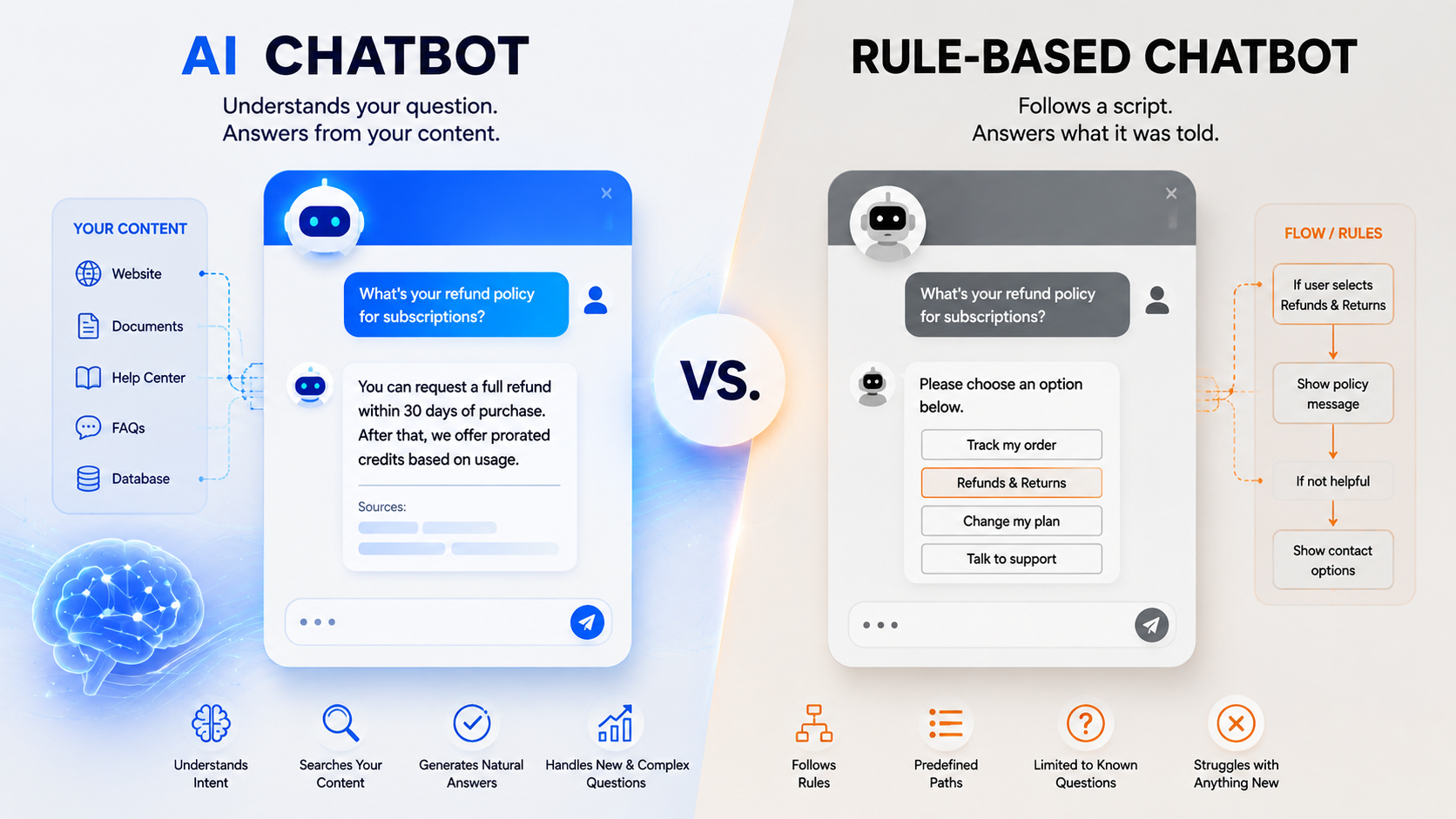
If your first use case is visitor support and lead capture, a website chatbot that is trained on your existing pages and documents may be enough. If you need ticket assignment, service-level agreements, agent scheduling, and a shared inbox across channels, evaluate a helpdesk platform alongside the chatbot.
Check what the chatbot is allowed to know
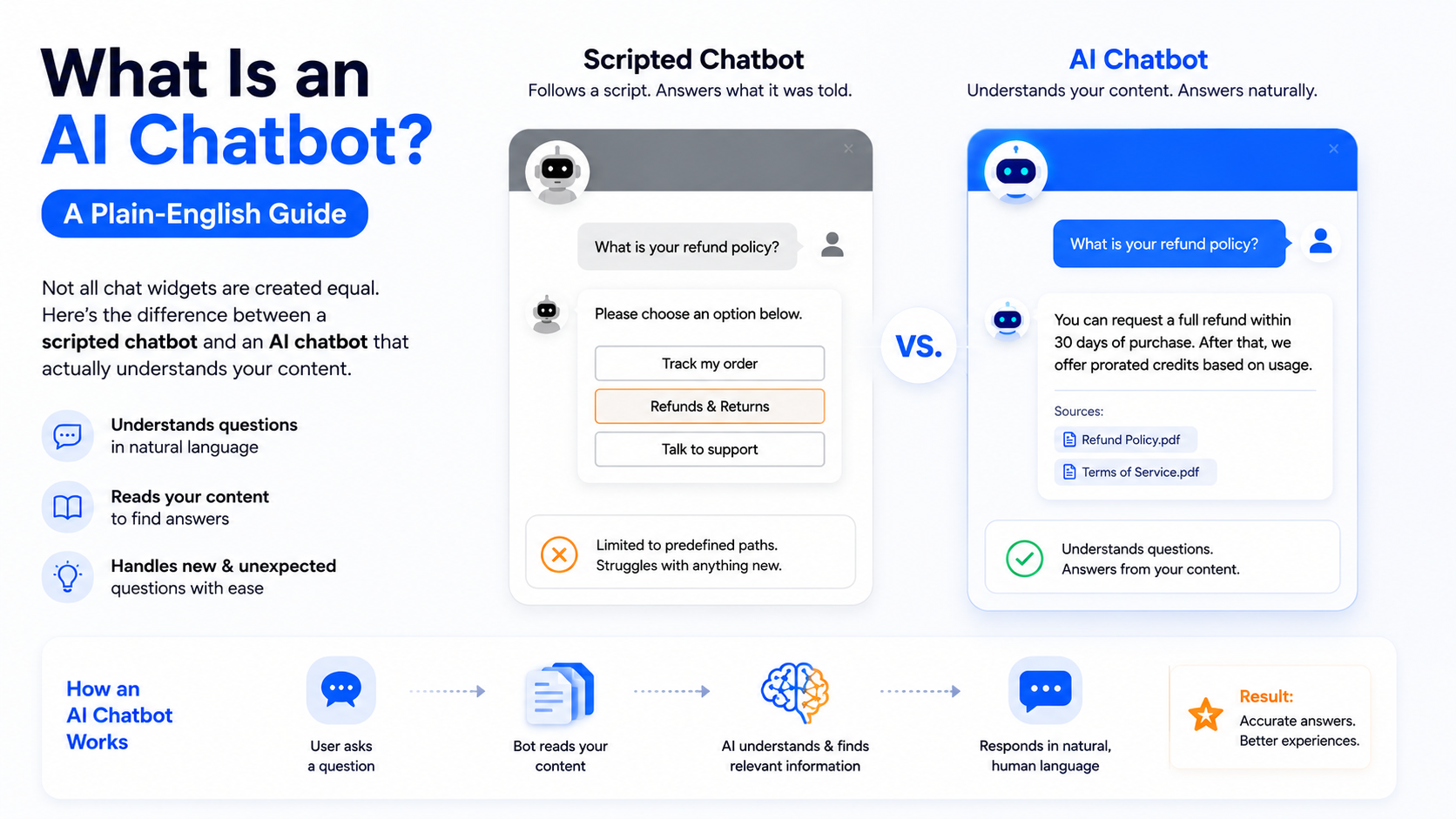
Most disappointing chatbot launches have a content problem before they have a model problem. Ask exactly which sources the tool can use, how it processes them, and how easily you can keep them current.
A useful minimum is the ability to train on your public website and the documents that contain your real answers: product guides, policy documents, FAQs, pricing information, and help-center articles. The content should be reviewed before launch. Old prices, incomplete policies, and duplicate documents create bad answers even when the interface looks polished.
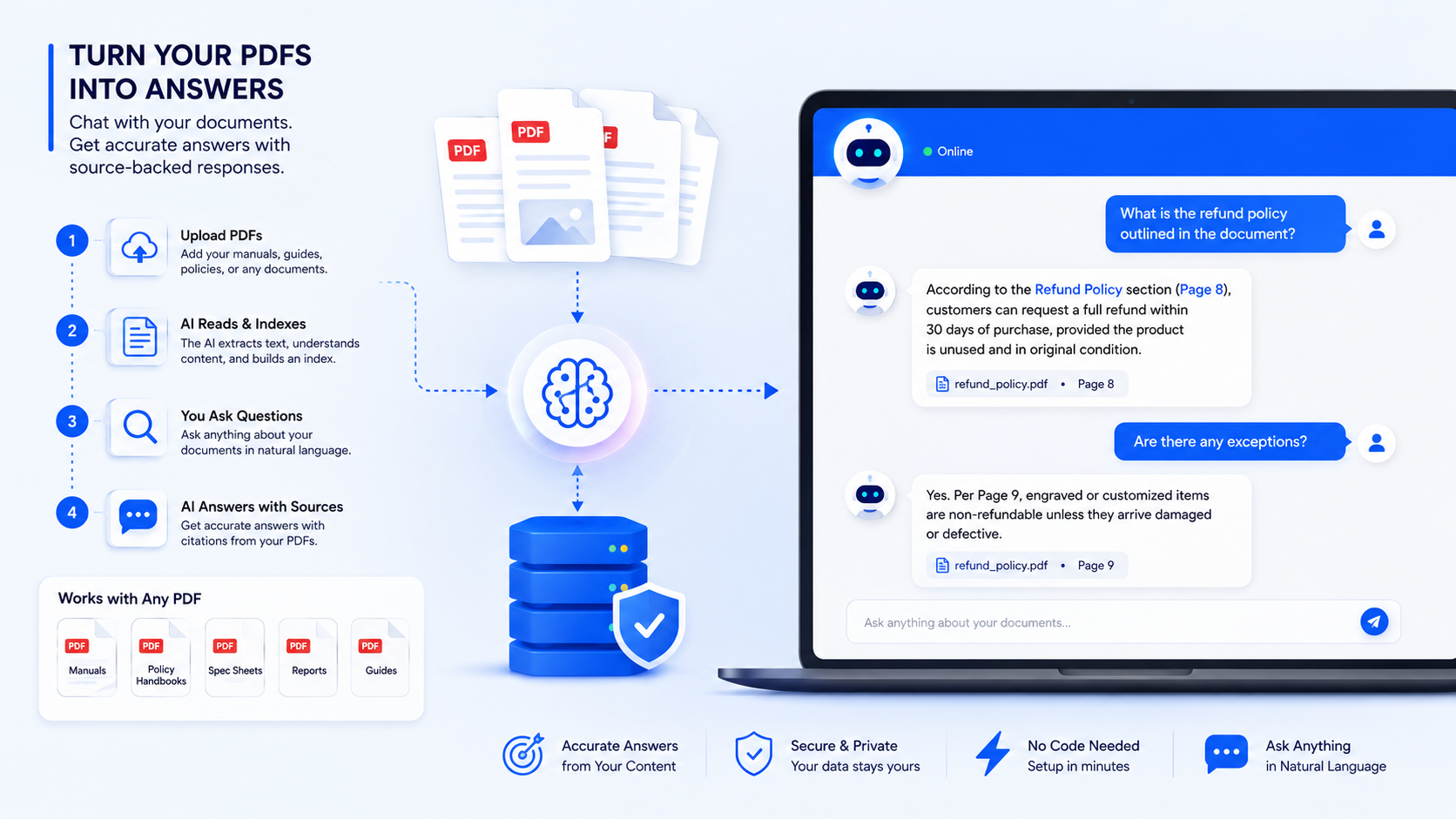
For a practical setup sequence, see how to chat with PDFs using an AI chatbot and our guide to training a chatbot on your own data.
Test accuracy with real visitor questions
Do not judge accuracy from a vendor demo alone. Build a small test set from real support emails, sales calls, site-search terms, and questions that your team hears repeatedly. Include easy questions, ambiguous questions, questions that need a source link, and questions the chatbot should refuse to answer.
For each answer, check four things:
- 01Is the answer factually correct according to the approved source?
- 02Does it use the right level of detail for a visitor?
- 03Does it clearly say when the source does not contain the answer?
- 04Does it offer the next useful action, such as a page, form, booking link, or human handoff?
A reliable chatbot should not confidently fill gaps with invented information. For sensitive areas such as legal, medical, financial, or account-specific advice, write explicit boundaries and route the visitor to a qualified person.
Make the handoff part of the experience
An AI chatbot does not need to answer every question. In fact, a clear handoff path is one of the strongest signs of a well-designed chatbot. Decide what should trigger a handoff: a visitor asking for a person, a high-intent sales question, repeated failed answers, or a topic your business does not allow the bot to handle.
The human should receive enough context to continue the conversation without asking the visitor to repeat everything. If lead generation matters, the form should request only the details your team actually needs and make consent clear. You can review the mechanics in our lead-generation chatbot overview.
Compare deployment and ownership
For a website widget, the launch path should be understandable: create the bot, review its knowledge, customize its appearance, and place the embed code on the site. Before choosing a provider, ask who can edit the knowledge base, change the welcome message, export leads or conversations, and remove the widget if you switch tools.
Compatibility matters too. If your site runs on WordPress, Shopify, Webflow, Wix, or custom code, verify the actual installation method. A generic “integration available” claim is not a substitute for testing the script on your own site. Our step-by-step guide explains how to add a chatbot to a website, and the chatbot widget feature page covers the core website requirements.
Look for analytics that lead to improvements
Conversation volume alone does not show whether a chatbot is helping. Useful reporting tells you what visitors ask, which questions receive poor feedback, when a conversation becomes a lead, and where the knowledge base is incomplete. Use those signals to improve source content and add pages that answer recurring questions.
Set a review rhythm from the beginning. A weekly review is enough for a new high-traffic chatbot; monthly may suit a smaller site. Track recurring unknown questions, negative feedback, handoff reasons, lead quality, and any outdated answer. This turns the chatbot into a source of customer research rather than a one-time site feature.
Understand the real cost
Website chatbot pricing is often a combination of subscription fee, message or resolution allowance, seats, knowledge limits, and add-ons. Compare the cost at your expected traffic level, not only the advertised starting price. Ask what happens when you exceed the monthly limit, whether AI usage is billed separately, and whether essential capabilities such as analytics or lead capture are included.
For an overview of the buying trade-offs between chatbot-first products and larger support suites, read our Intercom alternatives guide. The right choice is the one whose operating model matches your workflow, not necessarily the one with the most integrations.
A simple 30-minute evaluation checklist
- Define the single visitor problem the chatbot should solve first.
- Gather 15–20 real questions and the approved answers or source pages.
- Test responses, uncertainty handling, and the handoff path.
- Confirm your website platform can install the widget without slowing or breaking key pages.
- Review data handling, access controls, export options, and deletion procedures with the right internal owner.
- Model the price at your expected traffic and growth level.
- Assign one person to review unanswered questions and improve the knowledge base after launch.
The best chatbot is the one visitors can trust
A good website AI chatbot gives accurate answers from approved content, admits what it does not know, and makes the next step easy. Start small, measure real conversations, and improve the content behind it. That approach is more valuable than chasing a long list of AI features.
If you want to test this workflow with your own pages and documents, you can create an EmbedMyBot account for free and start with a single high-value use case.